
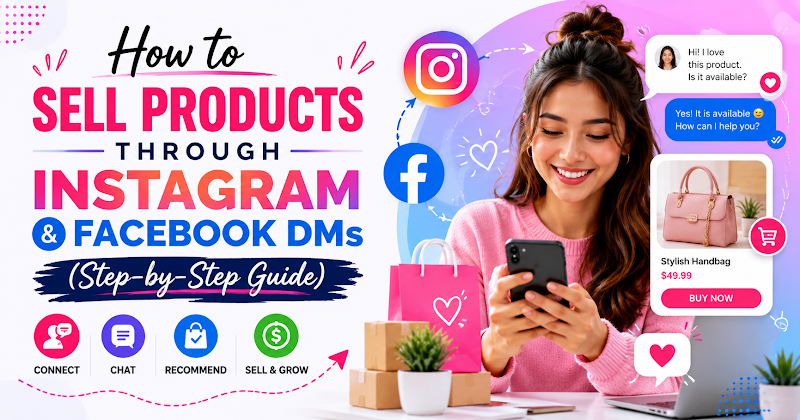
How to Sell Products Through Instagram and Facebook DMs (Step-by-Step Guide)
You sell products through Instagram and Facebook DMs by setting up a keyword-triggered DM automation that sends a visual product carousel with images, titles, and buy buttons the moment someone comments a trigger word on your post. The commenter taps a button, lands on your checkout, and the entire flow runs without you replying to a single comment manually.
Why Selling in DMs Outperforms a Bio Link
A bio link asks a follower to leave the moment of interest, navigate elsewhere, and find the product themselves. A DM meets them at the exact moment they raised their hand — in the comments — and keeps the conversation going from there.
- Lower friction — no leaving the app, no hunting through a bio link
- Feels personal — a DM reads as a conversation, not an ad
- Qualifies before it pitches — you can ask what they're interested in before showing products
- Captures the lead either way — even commenters who don't buy can be saved as a contact for later
- Runs at any hour — the automation doesn't sleep, take a day off, or get backed up
Step-by-Step: Building a Comment-to-Purchase Flow
- Sign up for a free Bridge44 account at https://app.bridge44.com if you don't already have one — use email + password or one-click Google sign-in. No credit card is required for the free tier, and it includes up to 30 keyword automation configs to test this exact flow.
- Connect you Instagram and/or Facebook account for the brand or store you're selling for, then go to Connections and link your Instagram and/or Facebook account — this is what lets Bridge44 read comments and send DMs on your behalf.
- Publish a post showcasing the product you want to sell — feed post, Reel, or carousel — from the post composer, or connect a post you've already published.
- Open Keyword DM Automation for that post and set a trigger word (e.g. "SHOP" or "PRICE").
- Build a Carousel node as the DM response — one card per product, each with an image, title, short subtitle, and a Web URL button pointing to checkout (Shopify, Stan Store, Amazon, etc.).
- Add a public reply so other followers see the automation working and are nudged to comment the same keyword.
- Set a max-reply cap so a breakout post doesn't trigger more DMs than you can fulfil.
- Set an automation expiry if this is a limited drop or flash sale, so the carousel stops sending once stock or time runs out.
- Save and publish the automation — it's now live and will fire on every matching comment from this point forward.
Qualifying Before You Sell
Not every commenter wants the same product. Instead of sending one generic carousel to everyone, add a Quick Reply Chips step before it — "What are you shopping for today?" — and branch each option to a different, more relevant carousel. A Button Message works the same way for budget or size qualification.
Capturing the Lead Even When They Don't Buy
Add a Collect Email step at the end of the flow — "Want 10% off if you're not ready yet?" — and the address is saved straight to your contacts automatically, no extra tool required. Someone who didn't buy today becomes someone you can sell to next week.
Manual Replies vs. Automated DM Selling
| Factor | Manual Replies | Automated DM Selling |
| Response time | Minutes to hours | Instant |
| Scales with comment volume | No | Yes |
| Captures leads who don't buy | Rarely | Automatically |
| Works outside business hours | No | Yes, 24/7 |
Common Mistakes to Avoid
- No reply cap on a viral post — a breakout post can trigger thousands of carousel sends before you notice stock has run out
- Forgetting automation expiry after a drop sells out — without it, new commenters keep getting DMs for a product that no longer exists
- Sending a plain link instead of a carousel — a single "shop here" link converts far worse than a visual, scrollable product gallery
- Assuming phone capture works the same on Instagram — collecting a phone number in a DM flow is a Facebook-only capability due to a Meta API restriction
Frequently Asked Questions
Can I add buy buttons directly inside a DM?
Yes. A Carousel node supports up to three buttons per product card — typically a Web URL button pointing straight to your checkout page.
Does this work on Instagram, or only Facebook?
Both. The full visual DM workflow, including carousels, works on Instagram (via Facebook), Instagram Standalone, and Facebook Pages.
Can I collect a customer's phone number for order confirmation?
Only on Facebook. Phone number collection inside a DM flow is restricted to Facebook by Meta's API — it isn't available on Instagram, regardless of which tool you use.
Will this work if I sell on Shopify, Amazon, or Stan Store?
Yes. The Web URL button on each carousel card can point to any checkout link — Shopify, Amazon, Stan Store, or your own site — since it's just an outbound link, not a built-in storefront.
How do I stop selling a product once it's sold out?
Set an automation expiry date and time on the post. Once that moment hits, the keyword automation stops firing on its own — no need to log in and switch it off manually.
Turn Your Next Comment Section Into a Storefront
Every comment is a moment of intent. A carousel DM automation turns that moment into a sale — or at least a captured lead — without you replying to a single message by hand.